
In some states, specific kinds of income are not subject to state income tax. That is, they are not taxable (or “tax-free”) at the state level.
These types of income include:
- Pension Income
- IRA/401k income
- Social Security income
- Unemployment Income
In most, if not all states where a rule like this applies, the software has already automatically excluded that income.
Here is how you confirm that the software has excluded this income at the state level:
- On the Reports tab, go to the View/Edit Taxes screen.
- Scroll to the bottom, and click the “more info” link on the line for state taxes.
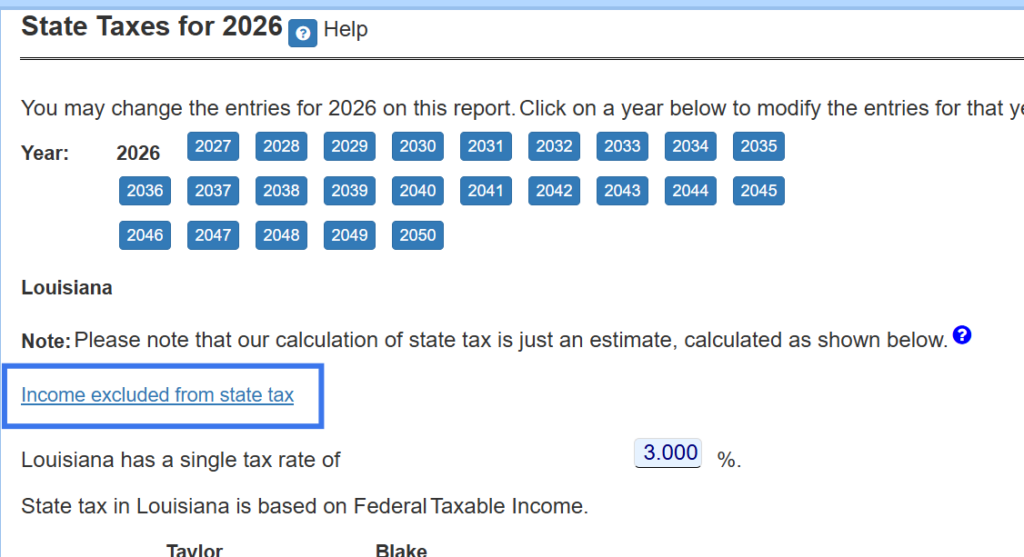
- At the top of the State Taxes screen, you will see a link for income excluded from state tax.
On that screen you will have the ability to exclude each form of income from state taxes, as shown below.
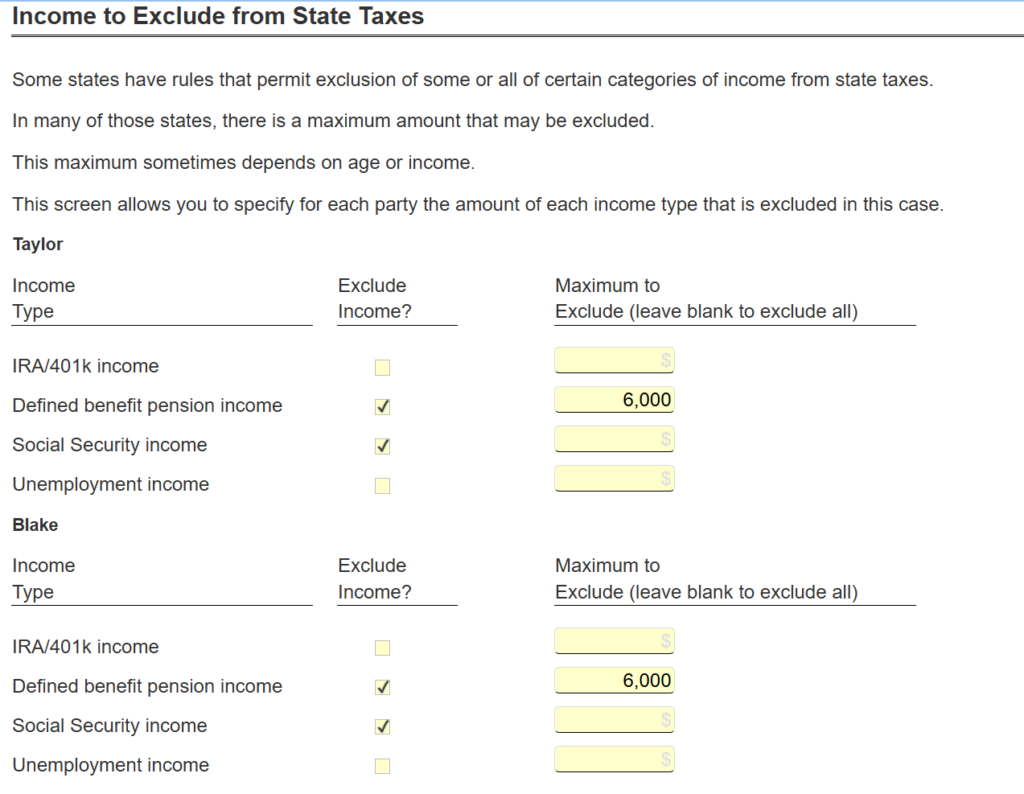
In most of the states that exclude forms of income from state tax, the checkbox to exclude income has already been selected.
If it has not been selected in your case, you can just check that box.
In some states, there is a maximum that may be excluded. You can specify that as well.