
Here is a quick primer on how to get the spousal support calculation you want in California.
Calculation by Software
If you want the software to calculate spousal support, do the following:
- At the top, click the tab for “Disso-Style” or “FLS-Complete.”
- Check the box to have the software calculate spousal support, as shown below.

- Choose the county whose rules apply. The drop-down does not show every California county. If your county is not shown, click the “which one” link to the left of the drop-down list. This shows which drop-down county to choose for each actual county.
- The calculated amount will then appear on the guideline worksheets.
- To enter start and end dates for spousal support:
- At the top, select the FLS-Complete or Disso-Style tab.
- Scroll to the section at the bottom of the screen entitled “Spousal Support to use in the Budget Report, What If, Declarations, and Child Support.”
- Enter the start and end dates in that section.
- To see an audit trail of how spousal support is calculated:
- At the top, select the FLS-Complete tab.
- Scroll to the section labeled “child and spousal support results details.”
- On the line with audit trails, click the link labeled “Spousal Support.”
Enter Directly
If you would like to enter spousal support directly, do the following:
- At the top, click the tab for “Disso-Style” or “FLS-Complete.”
- Clear the checkbox to calculate support, as shown below.

- Scroll to the section at the bottom of the screen entitled “Spousal Support to use in the Budget Report, What If, Declarations, and Child Support.”
- Enter the amount and start and end dates in that section, as shown below:
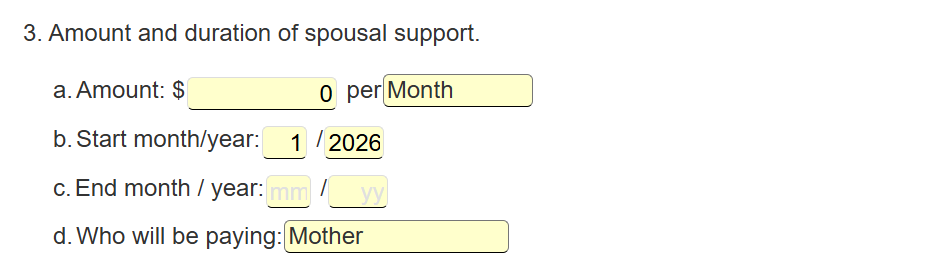
- Spousal support will not appear on the guideline worksheet. The guideline worksheet shows only the calculated amount.