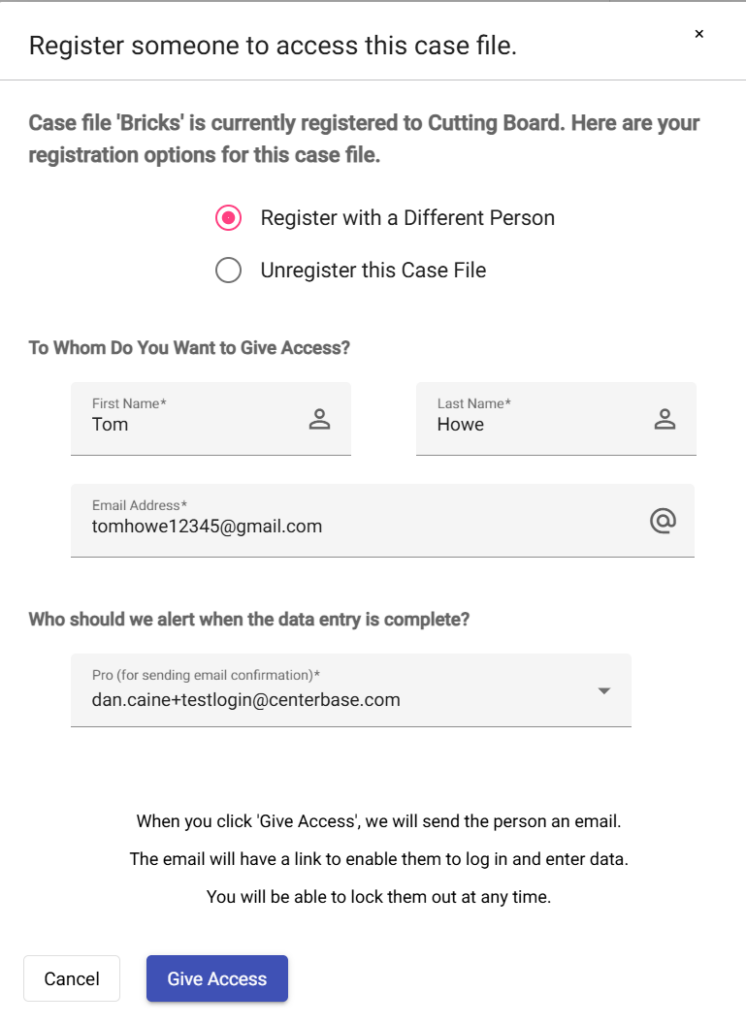
Sometimes you may want to change which client has access to the file.
This could be because you entered the wrong email address for the client or you wish to give access to another party.
Here are the steps to take:
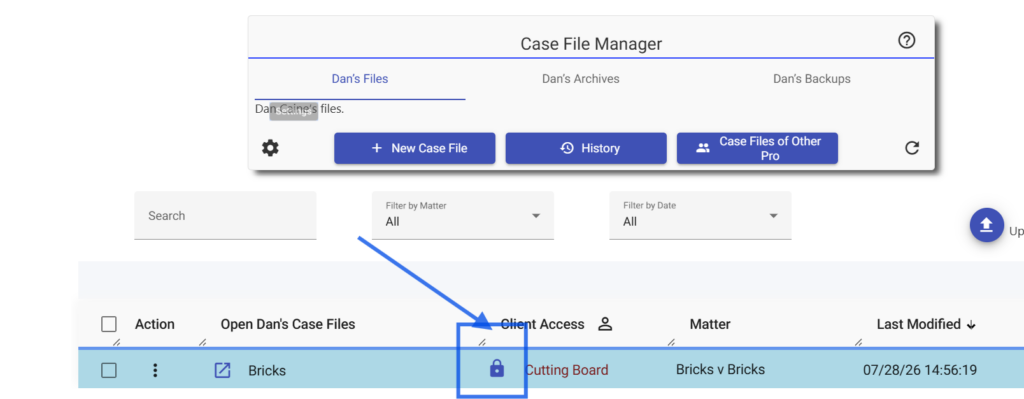
- Make sure that the client file is locked. If it is not locked, click the checkbox under the Client Access column until the lock icon appears, as shown below.
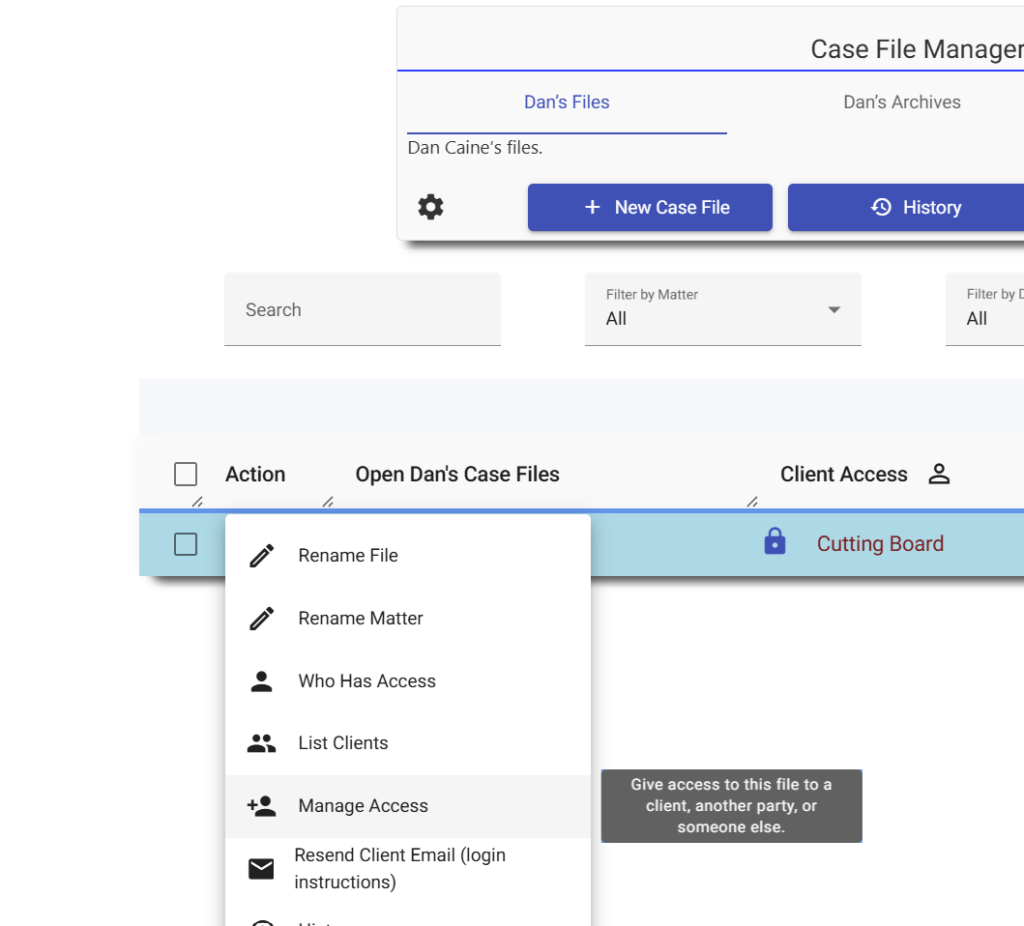
- Click the three dots button under the Action column, and select Manage Access.
Select register with a different person and fill out the remaining fields.