
When you give a client access to a file, you specify a person to receive notifications from the client.
If you have the Firm Edition of the software, this can be either a professional in the firm or a staff member.
But what if that professional or staff member leaves or the case is reassigned? Then you want to be able to change the person who receives client notifications related to the case.
Here are the steps to do that:
1. Lock the client case file temporarily. Look at the checkbox under the Access column for this case in File Manager. If you see a checkmark icon, click on the check mark and it will become locked.


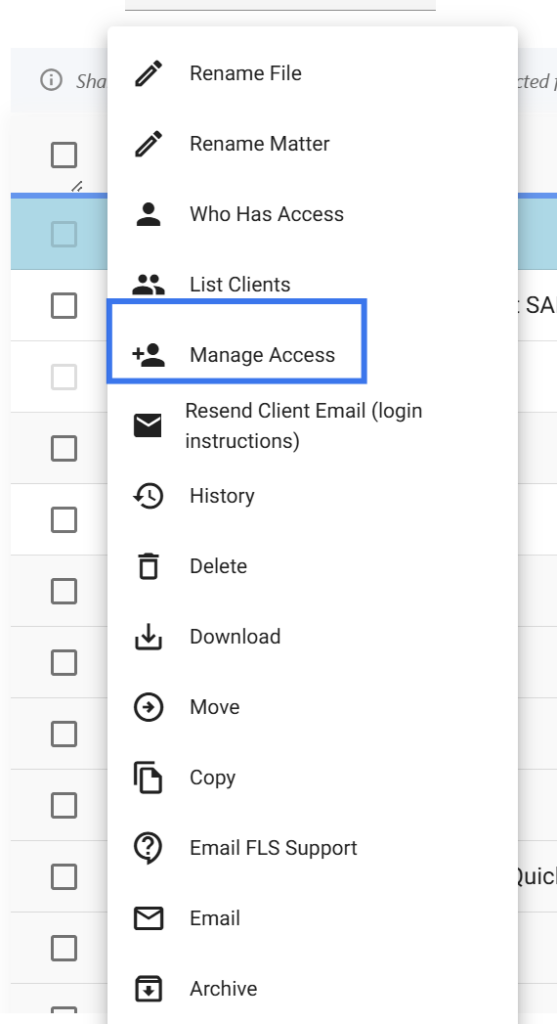
2. On that same line, where the case file is listed, click the three dots menu (in the “Action” column), and select “Manage Access.”
3. Select Register with a Different Person, fill in the client information as it was before, and change the selection under who should we alert when the data entry is complete.
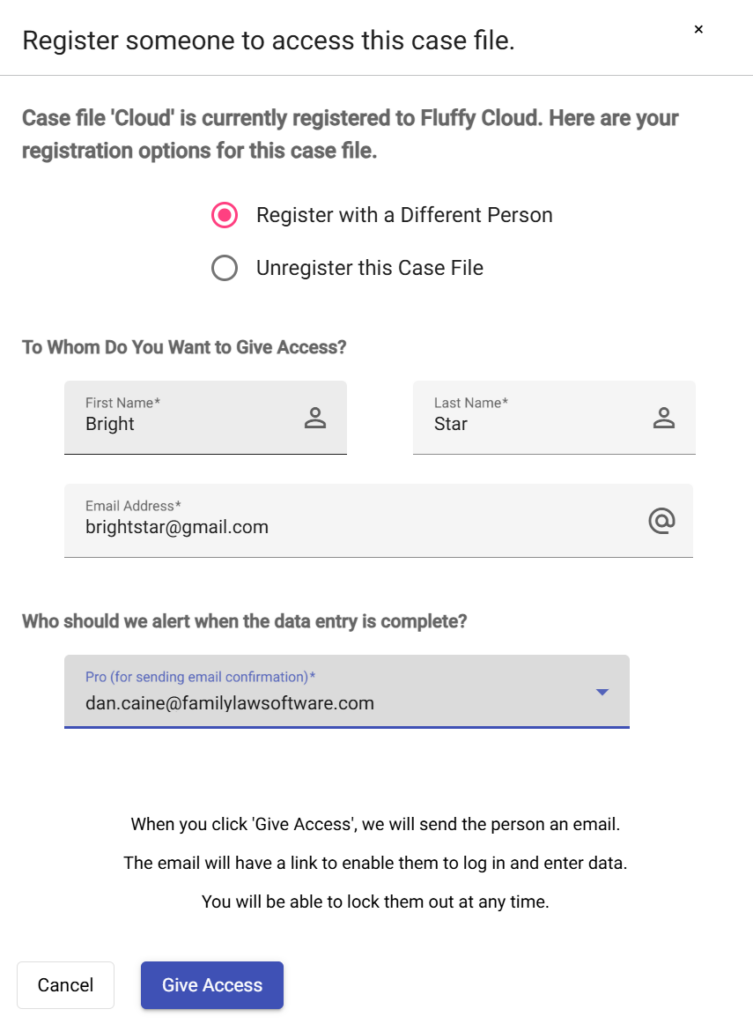
4. Click “Give Access.”
This will generate an email to the client, but it will also change the professional or staff member who receives future notifications.
When you give a client access to a file, you specify a person to receive notifications from the client.
If you have the Firm Edition of the software, this can be either a professional in the firm or a staff member.
But what if that professional or staff member leaves or the case is reassigned? Then you want to be able to change the person who receives client notifications related to the case.
Here are the steps to do that:
1. Lock the client case file temporarily. Look at the checkbox under the Access column for this case in File Manager. If you see a checkmark icon, click on the check mark and it will become locked.
2. On that same line, where the case file is listed, click the three dots menu (in the “Action” column), and select “Manage Access.”
3. Select Register with a Different Person, fill in the client information as it was before, and change the selection under who should we alert when the data entry is complete.
4. Click “Give Access.”
This will generate an email to the client, but it will also change the professional or staff member who receives future notifications.